FlowPath’s AI Assistant Just Got a Major Upgrade. Here’s What Changed.
The first version of FlowPath’s AI Assistant was built to take action. You gave it a command, it executed. No other CMMS could say the same.
That was the floor. This is raising the ceiling.
The 2026 rebuild changes what the AI does before it acts. It thinks through problems, asks clarifying questions when something isn’t clear, and reaches every corner of your platform. Not just the easy parts. It also adds voice input, in-app camera capture, on-demand record summaries, real-time data exports, and 28+ dedicated import agents. And because it’s built on a model-agnostic architecture, it gets better as AI improves without disrupting how your team works.
Here’s the full breakdown.
What Changed in the FlowPath AI Assistant Upgrade
The AI Assistant Now Thinks Before It Acts
The original FlowPath AI Assistant executed commands. This upgrade changes the nature of what it does before it executes.
The rebuilt Assistant reasons through complex requests. It gathers information, checks its own work, and refines its approach before surfacing a result. It doesn’t take the first answer it finds. It works through the problem, and you can watch it do it. The AI’s full reasoning process is saved and visible, so at any point you can follow exactly how it reached its conclusion.
For facilities managers who are accountable for the decisions their operations produce, that transparency matters. A lot.
It also asks you questions now. When a request is ambiguous, the AI pauses and asks for clarification before acting. Which buildings? Which asset categories? What priority level? You answer, it proceeds with precision. The result is closer to what you needed on the first pass, with fewer cycles of correction.
The AI Assistant Now Controls Your Entire Platform
Before this update, the AI Assistant operated across FlowPath’s core operational modules. This update opens everything.
The AI Assistant now has access to every part of FlowPath, including Settings, imports, and every administrative workflow in the platform. You can manage users, user groups, accounts, and locations from the assistant. Configure approval workflows, shifts, and labor groups. Handle imports directly: asset inventories, user rosters, location hierarchies, PM schedules. Create and update work order categories, accounting codes, external forms, and more.
There is no part of FlowPath that is off-limits to the AI Assistant. It has a complete map of every action available across the entire platform and can act on any of them within your permission level.
If you’re a facilities manager who wears multiple hats (which is nearly all of you), this is a big deal. Less time clicking through menus, more time on the work that actually matters.
Voice Input and In-App Camera Capture
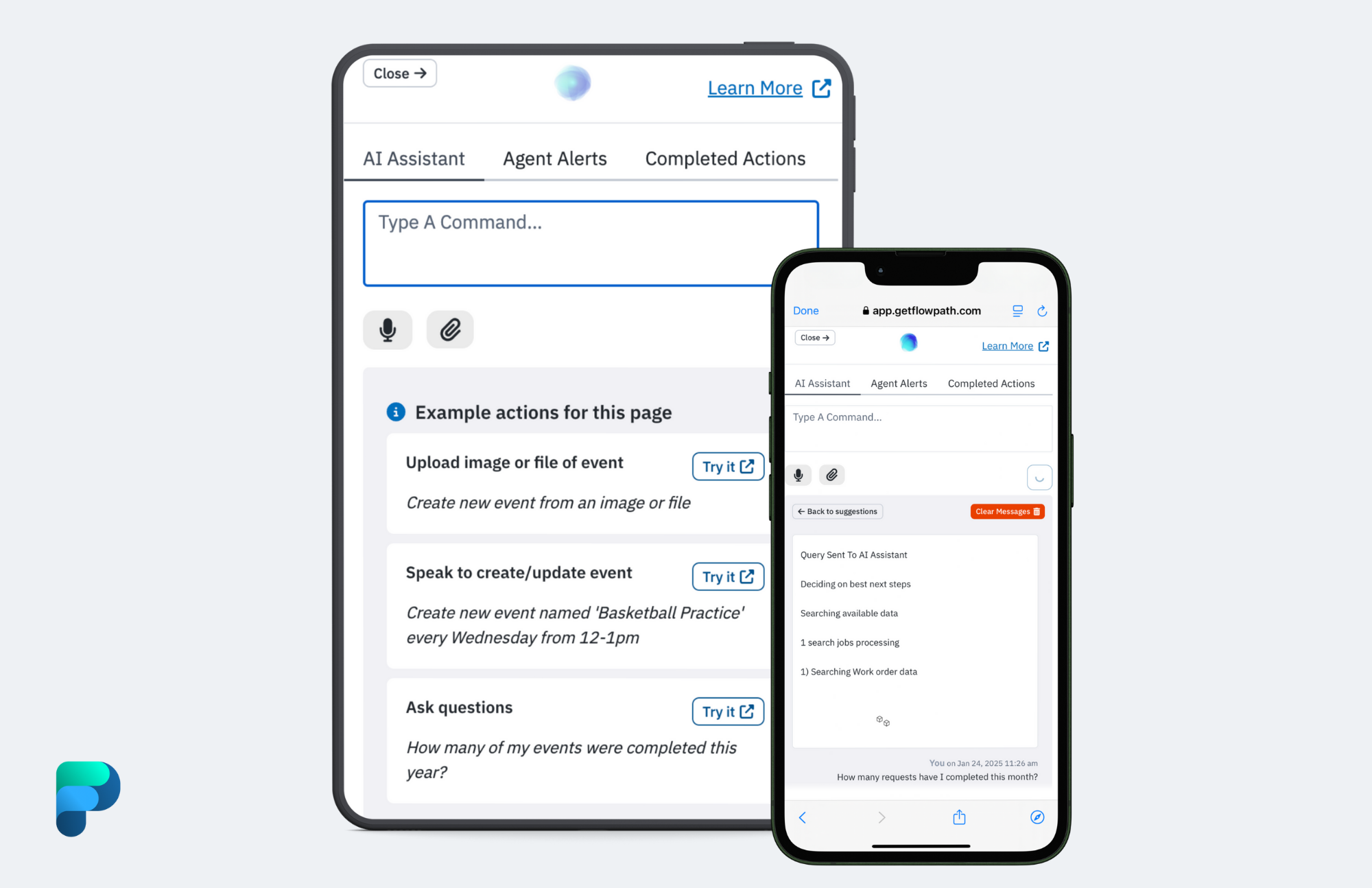
The AI Assistant now accepts voice input across the entire platform. Instead of typing a question or command, just talk to it. Your technicians in the field can create a work order, log labor hours, or check on a PM schedule without stopping what they’re doing.
On equipment pages, inspection detail pages, and inventory adjustment pages, the assistant also opens your device’s camera directly within FlowPath. Snap photos of equipment while narrating what you’re seeing, and the AI captures both. You can photograph a nameplate and describe the unit’s condition in the same step. All of it is built into the same assistant interface your team already uses. No separate apps, no extra setup.
On-Demand Record Summaries
This one’s simple but it saves real time. Open any work order, equipment record, or location and ask the AI for a summary. It pulls together current status, maintenance history, related records, cost patterns, and notable trends into a single, readable overview with visual diagrams where they help.
Think about handoffs, audits, operations reviews, or any situation where someone is looking at an unfamiliar asset. Instead of clicking through tabs and piecing together the story manually, the AI assembles it for you in seconds.
Real-Time Data Access and Exports
The AI queries your live operational database directly. When you ask about open work orders, asset history, PM compliance rates, or spend by category, you’re getting answers that reflect your operation right now. Not what it looked like when a report was last pulled.
Even better: you can generate downloadable spreadsheet files directly from the conversation. CSV or XLSX, filtered and formatted, delivered as an attachment. Need a list of all completed work orders from January with assignee, location, labor hours, parts cost, and completion date? Ask for it and download the file. This complements FlowPath’s 90+ built-in reports and 10 pre-built dashboards, and it’s especially valuable for operations reviews, capital planning evidence, and budget defense.
Autonomous Mode
For teams that have reached a level of comfort with the AI’s accuracy, Autonomous Mode lets the AI complete actions immediately without a confirmation step.
Turn it on and the AI operates: creates the record, applies the filter, executes the action. The full reasoning process is still saved and visible, so nothing happens in a black box. You just remove the friction for actions you’ve already decided to trust.
Autonomous Mode is a per-user toggle you control. When it’s off, every proposed action is shown to you for review before anything is written.
Multi-Photo Asset Creation
This is one of those features that changes how you spend your day. Upload multiple photos of equipment (nameplate, asset tag, full unit) and the AI creates individual records for each one. It extracts make, model, serial number, and specifications from nameplates and asset tags automatically. With Autonomous Mode on, records populate immediately. With Autonomous Mode off, you review before they’re saved.
On equipment pages, you can open the camera directly within FlowPath. Walk through a mechanical room, snap photos of every unit, and have your asset library built by the time you’re back at your desk.
For teams building or auditing an asset library, this turns a task that used to take days into something that happens in a single walkthrough.
28+ Import Agents for Data Migration and Onboarding
The AI Assistant includes 28+ dedicated importer agents covering the full FlowPath data model. Upload a CSV, Excel file, JSON, PDF, or Word document and the AI maps your data to the right fields, shows you what it intends to create, and waits for your confirmation before writing anything.
Importers cover work orders and work order categories, equipment and sub-equipment, PM schedules (time-based and meter-based), PM checklist items and templates, inspection schedules and items, inventory items and meter readings, locations and accounts, users, vendors and vendor contacts, accounting codes, projects, events, event requesters, layouts, and documents. Every import is reviewed and confirmed by you before records are written.
If you’re migrating from another system or onboarding for the first time, this is huge. What used to be a weeks-long data project becomes something the AI handles conversationally.
Better PM Schedules and Inspections
The underlying AI model has been upgraded, and the difference shows most clearly in the quality of preventive maintenance schedules and inspection checklists. More granular task breakdowns. More specific inspection criteria. Schedules that reflect the actual requirements of your equipment rather than generic templates.
For facilities teams building out their PM programs, the AI now produces schedules closer to what an experienced maintenance planner would build by hand.
Built-In Help Center
Product and how-to questions are now automatically routed to FlowPath’s help center knowledge base. Ask the AI how to set up an approval workflow or configure a public calendar, and it finds the relevant article, extracts the answer, and cites the source. Your team gets accurate guidance without leaving their workflow or opening a separate help center tab.
Instance Setup Summary
Administrators and operations leads can ask the assistant to generate a comprehensive summary of their FlowPath instance configuration, covering admin and ops ownership, work order flow and setup posture, enabled modules, and usage signals. Especially useful during onboarding, audits, or when a new administrator takes over an existing instance.
Agent Teams: AI Automation Across Your Operation
Everything described above is part of FlowPath’s AI Assistant, included with every FlowPath subscription at no additional cost. All of it.
Agent Teams take things further. They are specialized groups of agents the AI controls to handle specific operational workflows: monitoring, analysis, inbound request parsing, scheduling, and standardization. They run continuously or on recurring schedules, not just when someone opens the assistant and asks a question. Agent Teams are available at an additional cost for organizations ready to automate.
The Work Order Agent Team configures, runs, and refines work-order flows from intake through follow-up. It includes four agents. The Inbound Parse Agent creates work orders from email, text/SMS, phone call transcripts, Slack messages, and external form submissions. The Monitoring Agent watches open work orders so nothing slips through the cracks. The Scheduler Agent assigns unassigned work orders based on current and historical workload. And the Analysis & Trends Agent runs recurring monitoring across labor hours, vendor cost, inventory cost, completed and assigned work orders, duplicate patterns, and equipment-linked trends, with operationally relevant findings and supporting Excel exports.
The Equipment Agent Team standardizes asset records and helps set up maintenance flows around them. It includes three agents. The Equipment Standardization Agent reviews incomplete, stale, or inconsistent records and recommends data enrichment. The Equipment PM Schedule Agent reviews equipment that may need PM schedule creation or improvement. And the Equipment Analysis & Trends Agent monitors callback patterns and related operational issues.
Agent Teams run on configurable recurring schedules: daily, weekday-only, weekend-only, weekly, bi-weekly, tri-weekly, every four weeks, or monthly. Results are delivered to subscribing users’ assistant feeds, with alert generation for conditions that need human attention. These support the recurring rituals that drive operational maturity. Weekly work triage. Monthly operations reviews. Quarterly capital reviews.
Additional Agent Teams for Inventory, Vendors, Events, Projects, and Reporting are in development.
The Architecture Behind It
FlowPath’s AI Assistant is model-agnostic. It’s not tied to any single AI provider or model version, which means when AI models improve, FlowPath upgrades without disrupting your operation. Your platform stays current automatically.
FlowPath also controls what the AI can do. The scope, the guardrails, and the available actions are defined by the platform, not inherited from a general-purpose model. This is the foundation that makes everything above possible, and what positions FlowPath for the next generation of AI infrastructure as the industry evolves.
What This Upgrade Means for Your Team
If you manage a K-12 school district, multi-photo asset creation means you can walk a building during summer maintenance, photograph every unit with your phone’s camera, and have your asset library built by the time you’re back at your desk. Voice input means your technicians can log work orders and labor hours without pulling off their gloves.
If you run a university facilities team, live data queries and on-demand exports mean your weekly reporting to leadership reflects what’s actually happening. Not what happened when the report was last pulled. Add the Work Order Agent Team and inbound maintenance requests from students, faculty, and staff get routed and categorized automatically.
If you’re a municipal public works director, having the AI available in Settings means you can restructure user groups and location hierarchies without navigating every menu manually. The 28+ import agents mean migrating from your old system doesn’t require a dedicated IT project.
The common thread: less time on administrative overhead, more time on the work your team was hired to do.
See the Upgrade in Action
The AI Assistant is part of FlowPath, included with every subscription at no additional cost. Every capability described in this post is live now for all FlowPath customers. Agent Teams are available at an additional cost for teams ready to take automation further.
Open the AI Assistant and start a conversation. Ask it something about your operation. Upload a batch of equipment photos. Ask it to walk you through your current PM compliance across all locations.
If you’re not on FlowPath yet, now’s a good time to see what an AI Assistant built for facilities operations actually looks like.
Schedule a demo and we’ll walk you through the upgrade in the context of your specific workflows.
Frequently Asked Questions
Do I need to do anything to access the AI Assistant upgrade?
No. The upgrade is live for all FlowPath customers. Real-time data access, clarifying questions, platform-wide access, voice and camera input, record summaries, export generation, the pop-out panel, and multi-photo asset creation are all available now.
What does the AI Assistant cost?
The AI Assistant is included with FlowPath at no additional cost. It’s a core part of the platform, not an add-on. Agent Teams, which automate operational workflows on recurring schedules, are available at an additional cost for organizations ready to take that step.
Can the AI Assistant make changes I don’t approve?
By default, every proposed action is shown to you for review before anything is written. Autonomous Mode, which lets the AI execute actions immediately, is an opt-in toggle you control. The AI also asks clarifying questions before acting on ambiguous requests.
What data does the AI Assistant have access to?
The AI queries your FlowPath database directly: work orders, asset records, PM schedules, inspection data, inventory levels, vendor records, projects, events, asset reservations, labor hours, meter logs, user and location information, and reporting metrics. It operates within your existing permission model and only accesses data within your FlowPath instance.
Does the assistant learn from our data or conversations?
No. The assistant queries your live data to answer questions and take actions within your session. It does not use your data to train or improve AI models. Conversation context is maintained within your session for continuity but is not used for model training.
Can the AI create work orders from emails, texts, and phone calls?
Yes. The Work Order Agent Team’s Inbound Parse Agent creates work orders from email, text/SMS, phone call transcripts, Slack messages, and external form submissions. It matches accounts, locations, categories, and equipment conservatively, preferring missing data over wrong data.
Will the AI Assistant help a small facilities team?
Yes, and honestly, this is where it often has the most impact. If you’re managing work orders, PMs, asset tracking, and reporting with a lean crew, the AI handles the administrative overhead that pulls your team away from work in the field. It’s not a replacement for your team. It’s what lets a small team operate at the capacity of a larger one.
Can the AI help with onboarding and data migration?
Yes. The assistant includes 28+ dedicated importer agents covering work orders, equipment, PM schedules, inspections, inventory, locations, users, vendors, projects, events, accounting codes, layouts, and documents. Importers accept CSV, Excel, JSON, PDF, and Word files.
Does the assistant work with our custom fields and categories?
Yes. The assistant is aware of your instance’s custom fields, categories, subcategories, location hierarchy, user groups, approval workflows, and other configuration. It uses your terminology and structure.
Can the assistant delete records?
The assistant focuses on creation, updates, analysis, and exports. Deletion is not a core capability. Records can be archived through standard update workflows where applicable.
Is the assistant available on mobile?
Yes. The assistant is accessible through FlowPath’s progressive web app (PWA) on any mobile browser. Voice input, file upload, and camera input are available on supported pages.
Does it work with SSO?
Yes. FlowPath supports SAML 2.0 single sign-on. The AI assistant operates within the same authenticated session.
We’re early in our CMMS adoption. Is the AI assistant still useful?
Absolutely. FlowPath’s AI is designed to scale with your operational maturity. Even at the earliest stages, the assistant reduces administrative burden by accelerating work order creation, helping categorize requests, building your asset inventory from photos, and generating the reports that start building credibility with Finance. As your standards and data quality improve, more advanced capabilities become available.